Lead Details
The Lead Details screen is where you get the full context needed to take precise action: who the lead is, what they want, what has already been said, and what the next step should be.
📱 How to Access
From the Lead Table, click the eye icon → a side modal will open without leaving the page.
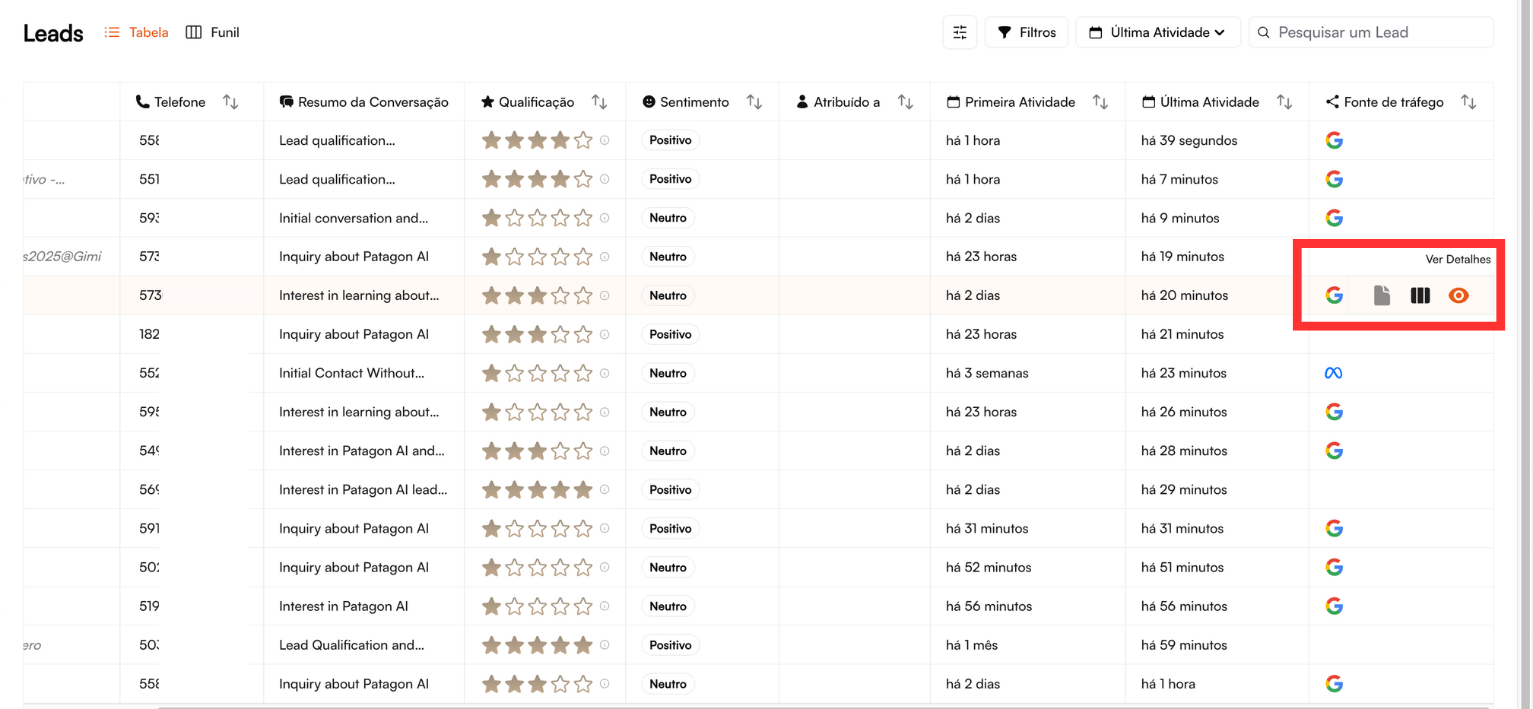
The interface opens as a side modal, keeping you on the main page. Quick controls at the top right:
⋮ (three dots) — Additional options
✕ — Close details and return to the table
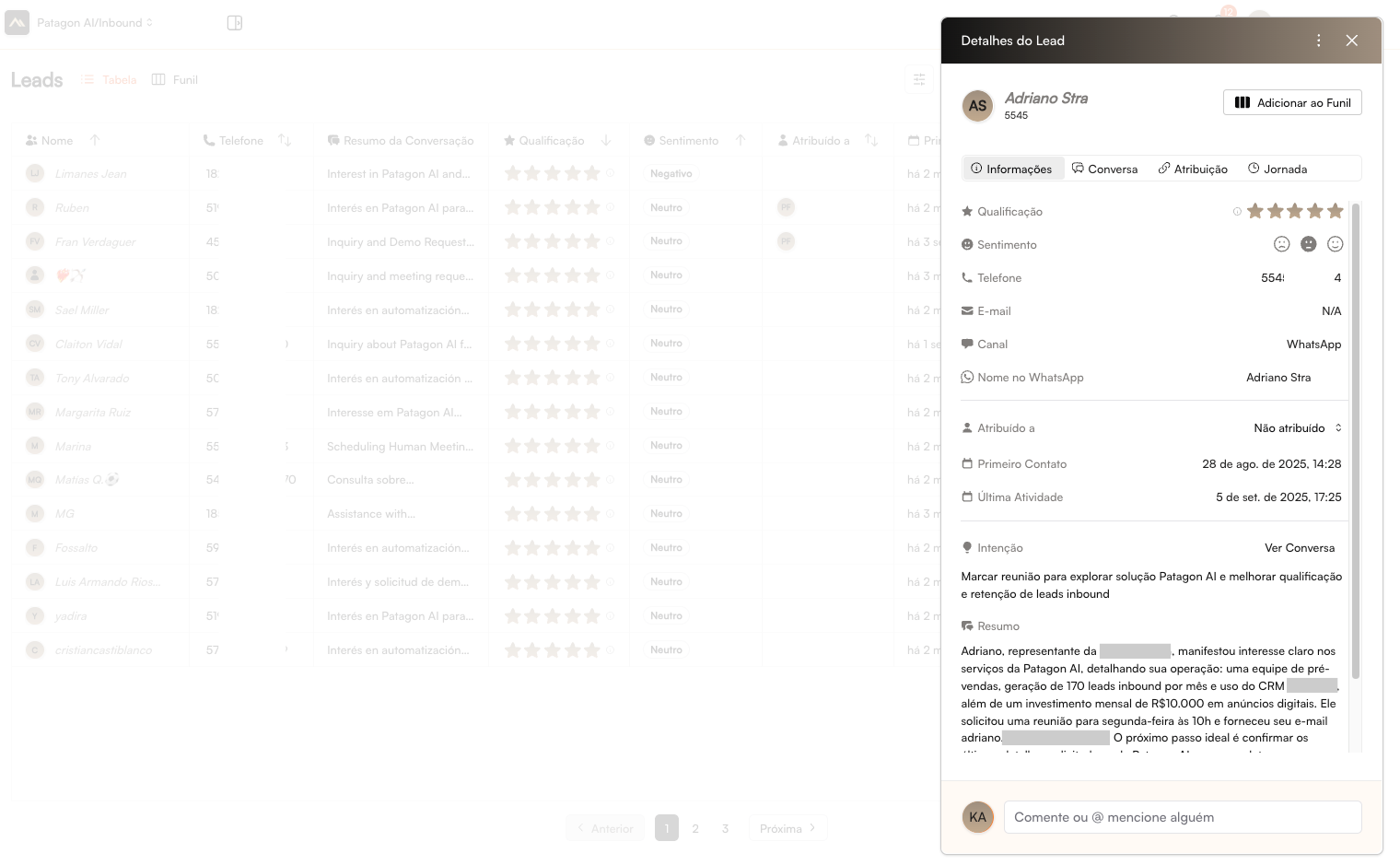
👤 Lead Header
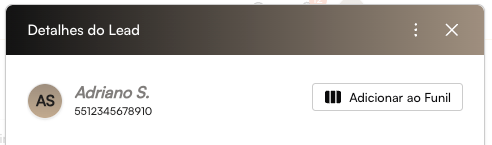
At the top of the view, you’ll find the essential contact information:
Full name of the lead
Phone number with country and area code
In the upper right corner, you’ll see the Add to Funnel button — used to place the lead into a sales pipeline, enabling organization and follow-up automations.
🗂️ Navigation Tabs

The modal is organized into four tabs, allowing a complete analysis of the lead:
1. Information
Contains registration data, qualification, and contact context. Use: quick reference before starting any interaction.
2. Conversation
Displays the full WhatsApp message history, including sender and timestamps. Use: understand what was already discussed and which doubts remain.
3. Assignment
Shows who owns the lead and provides UTM/origin data. Use: manage ownership and analyze performance of acquisition channels.
4. Journey
A timeline showing all interactions and funnel milestones. Use: track evolution, identify bottlenecks, and define next steps.
📋 Tab: Informations
Qualificação e Sentimento

A qualificação utiliza um sistema visual de 0 a 5 estrelas, indicando o nível de preparo do lead para uma possível conversão:
0 estrelas → Sem avaliação
1–2 estrelas → Lead frio ou pouco interessado
3 estrelas → Lead com potencial moderado
4–5 estrelas → Lead com forte interesse e maior prioridade
O sentimento da conversa é indicado por três estados:
Positivo → demonstrou interesse e boa receptividade
Neutro → objetivo, sem sinais claros de avanço
Negativo → frustração, objeção ou risco de perda
Esses indicadores permitem identificar rapidamente o quão engajado o lead está e qual o nível de prioridade no atendimento.
Dados de Contato
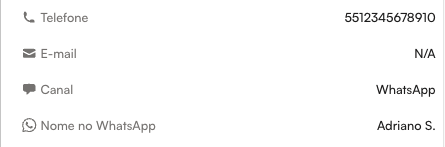
Essa área concentra as informações básicas para comunicação e identificação do lead:
Telefone: exibido com DDI + DDD + número completo
E-mail: mostrado quando disponível; caso contrário, aparece como N/A
Canal de origem: identifica de onde o lead chegou (ex.: WhatsApp, site, campanhas)
Nome no WhatsApp: nome que aparece no perfil do aplicativo, quando retornado pela Meta (ex.: “Adriano S.”)
Esses dados ajudam na validação do contato e na personalização do atendimento desde o primeiro contato.
Gestão do Lead
Indica quem é o responsável atual pelo atendimento do lead.
Atribuído a: mostra o nome do vendedor designado
Quando exibido como Não atribuído → o lead ainda está disponível para distribuição

A atribuição pode ser atualizada a qualquer momento pelo dropdown, selecionando entre os vendedores disponíveis. A mudança é aplicada imediatamente, garantindo clareza na responsabilidade e agilidade no atendimento.
Timeline
Apresenta os principais marcos temporais do lead, facilitando a análise do nível de atividade e urgência.
Primeiro Contato Exibe a data e hora da primeira interação (formato: DD de MMM. de YYYY, HH:MM) Uso: entender há quanto tempo o lead está no funil e priorizar leads antigos
Última Atividade Mostra a data e hora do último registro de conversa ou ação Uso: identificar se o lead está engajado e quando é necessário follow-up

Essas informações permitem avaliar rapidamente o tempo de resposta, o grau de interesse e a prioridade de atendimento de cada lead.
Intenção e Contexto
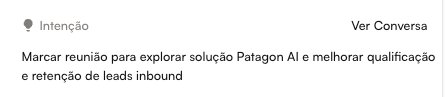
Nossa IA apresenta um resumo objetivo sobre o que o lead está buscando, com base na análise da conversa. Esse conteúdo é atualizado em tempo real e destaca as principais necessidades, interesses ou dores do lead.
O botão Ver Conversa permite acessar diretamente o histórico completo para aprofundar o contexto antes do atendimento.
Esse recurso ajuda o vendedor a:
Entender rapidamente o cenário sem ler toda a conversa
Personalizar a abordagem
Aumentar a precisão da qualificação
Resumo
A IA gera automaticamente uma síntese completa da conversa, organizada em dados relevantes sobre o lead: quem é, o que busca e quão preparado está para seguir no processo comercial.
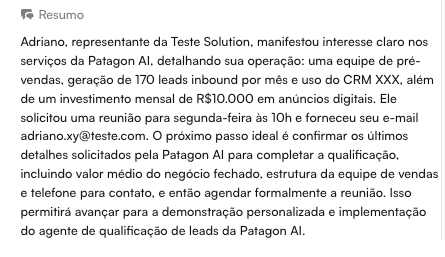
O conteúdo normalmente inclui:
Identificação do lead: nome, empresa, cargo e contato
Interesse demonstrado e problemas que deseja resolver
Contexto do negócio e possíveis oportunidades
Sinais de qualificação: poder de decisão, timeline e orçamento (quando citados)
Esse resumo deve ser consultado antes de qualquer abordagem, pois permite entender rapidamente o cenário, personalizar a conversa e garantir uma passagem de bastão eficiente entre vendedores, mantendo o atendimento contínuo e bem informado.
💬 Tab: Conversation
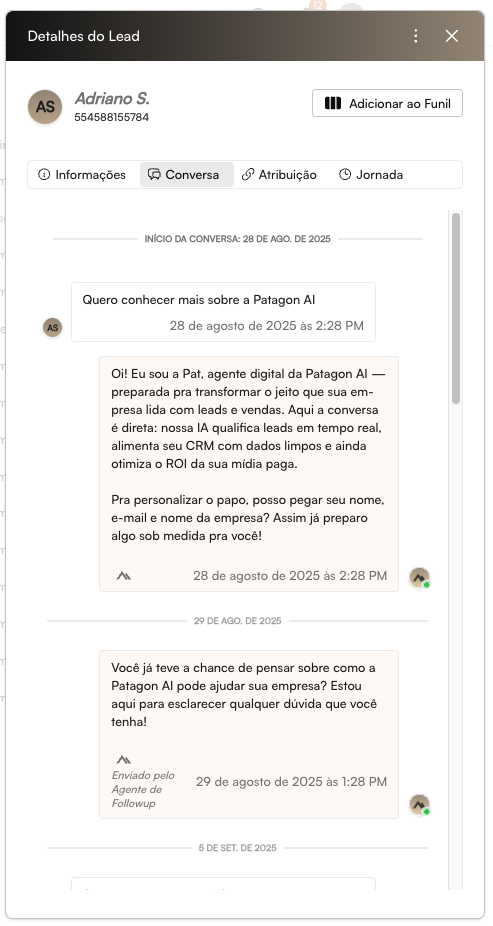
Shows the complete WhatsApp conversation history exchanged between the lead and the agent, in chronological order, with clear differentiation between messages from the lead and from the AI agent.
Key Features
Search by keywords Useful for quickly finding mentions of products, objections, or relevant insights.
PDF Export Enables documentation and sharing with managers or other teams.
Real-time updates New messages appear automatically without reloading the page.
This tab is ideal for understanding communication context and preparing a precise, well-targeted follow-up.
🔗 Tab: Assignment
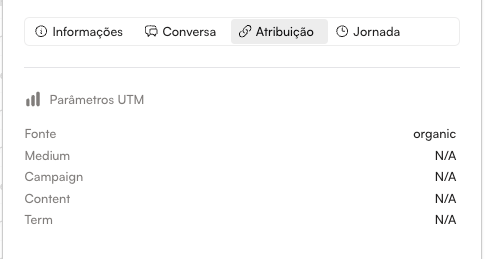
This section reveals detailed information about the lead’s origin using UTM parameters. What are UTM parameters?
Tracking codes appended to URLs to measure the performance of acquisition channels and campaigns.
For Your Reference
Source: Identifies the channel where the lead first interacted with your brand. Examples: google, facebook, instagram, linkedin, direct, whatsapp. Helps you understand which channels truly generate results and where to invest more.
Medium: Defines the type of traffic or media that led to the click. Examples: cpc, social, email, referral, display, organic. Enables comparisons between paid vs. organic traffic and helps optimize your marketing strategy.
Campaign: Indicates which specific campaign converted the lead. Examples: product-launch-x, copy-test-a. Essential for evaluating performance across campaigns and measuring return per initiative.
Content: Shows which creative variation drove the conversion. Examples: video-v1, image-a, headline-v2. Useful for identifying high-converting creatives and guiding A/B tests.
Term: Reveals the searched keyword (primarily in Google Ads). Examples: crm for sales, marketing automation. Allows you to understand purchase intent and prioritize more qualified leads.
🗓️ Tab: Journey
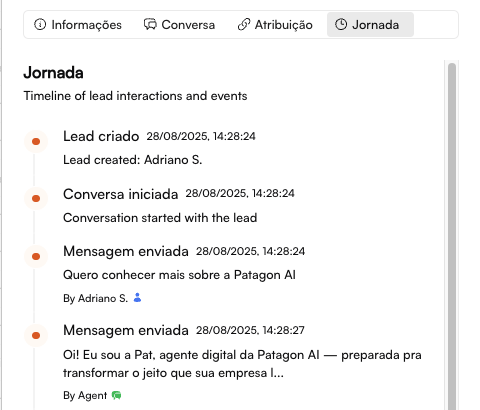
The Journey tab displays a timeline of events, showing all important milestones in the lead’s lifecycle.
Event Types
System Entry: Date and time of the first contact, origin channel, and campaign (when applicable).
Qualification Changes: Updates from X stars to Y stars, including the reason for the change and the timestamp.
Assignments: Lead assigned or reassigned to a salesperson, with the date of each update.
Important Interactions: Booking requests, proposals sent, meetings held.
Conversion Milestones: Demo scheduled, proposal accepted, contract signed, first payment processed.
Benefits of the Journey:
360° view of the relationship
Pattern identification
Funnel optimization
Conversion time analysis
💬 Internal Comments Section
Located at the bottom of the modal, the comments area allows you to record interactions, share context, and streamline team collaboration.

Each comment displays:
Author
Date and time of the entry
Content of the note and/or mentions to colleagues (when applicable)
Users can add new comments directly in the text field. By typing @, they can mention other team members, who will be notified instantly.
When to Use This Section
Handoff between team members Example: informing that the lead is already qualified and should be taken over by another salesperson.
Manager alerts Example: requesting approval for discounts or support with objections.
Sharing insights Example: upsell opportunities or additional information about the lead.
Recording important actions Example: proposal sent, follow-up scheduled, deadlines confirmed.
These records ensure continuity in the sales process and full visibility of the commercial history.
💡 Reminder: Lead Details is your complete source of truth. Use it to personalize every interaction and maximize conversions!
Last updated